How to Know When Your Website Needs a Redesign?
TL;DR
*Some of the links in this post are affiliate or partner links. If you buy through one, I may earn a small commission at no extra cost to you.*
- You need a full redesign when your business has clearly outgrown the site, multiple core pages feel wrong, the tech is creaky and results are dropping across the board.
- If the bones are solid but a few pages, photos or words feel off, you are in “focused updates” territory, not a full rebuild.
- If your site still matches what you do, feels clear to visitors and brings in steady leads, you may not need to change much at all.
You already know something is off. Maybe people keep asking questions that your website should answer. Maybe you cringe a little when you send someone your link.
The hard part is figuring out what that “off” really is. Do you need to burn it all down and start fresh, or could a focused round of updates get you back on track?
This guide is here to help you answer that calmly. No scare tactics, no “every three years you must redesign” rule. Just honest questions you can walk through with your own website open in another tab.
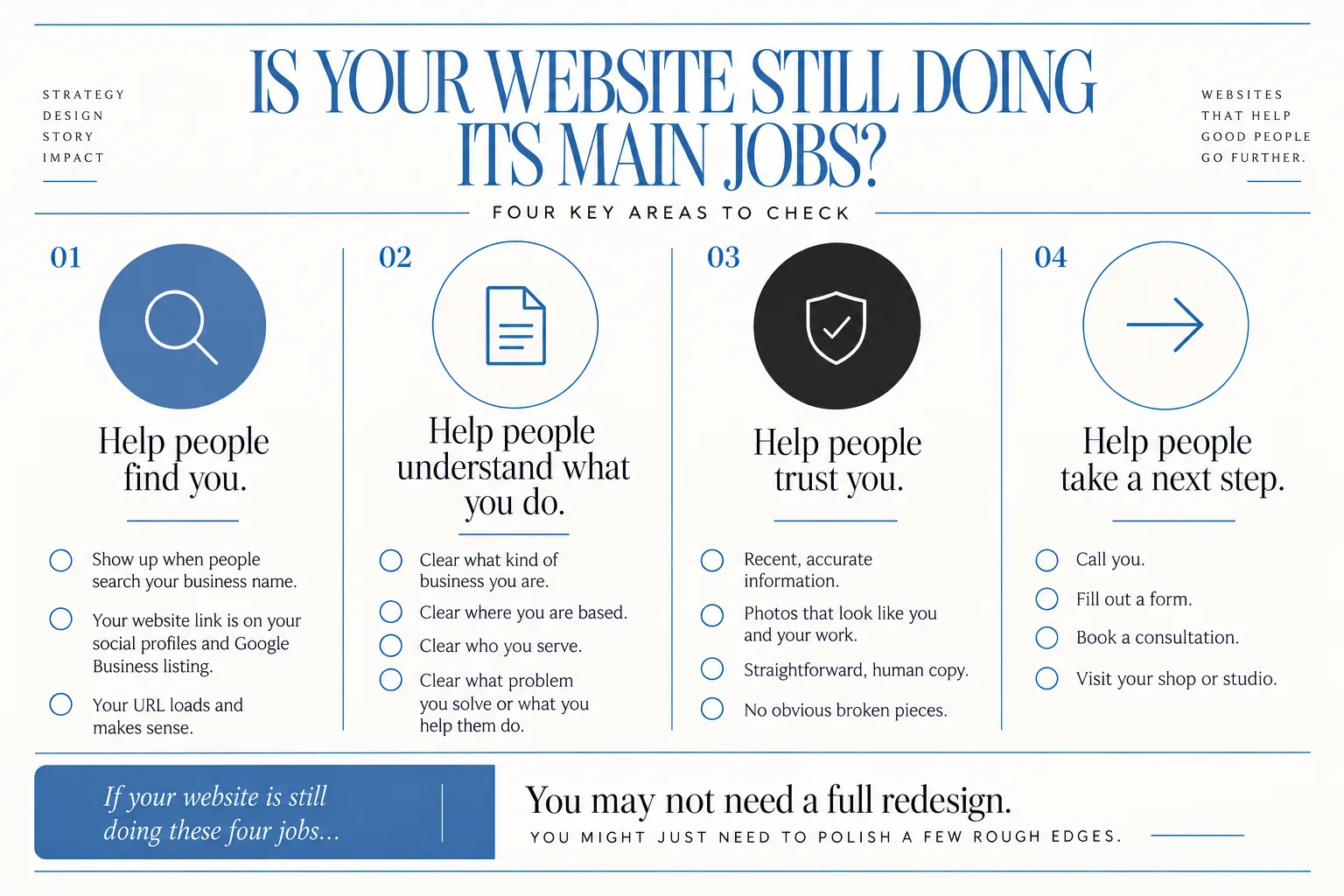
Quick gut-check: Is your website still doing its main jobs?
Start simple. Your website has four basic jobs:
- Help people find you.
Can folks who are already looking for you get to your site easily? For example:
- Do you show up when they search your business name?
- Is your website link on your social profiles and Google Business listing?
- When someone types in your URL from a business card, does it load and make sense?
- Help people understand what you do.
When someone lands on your home page, is it clear within a few seconds:
- What kind of business you are
- Where you are based
- Who you serve
- What problem you solve or what you help them do
- Help people trust you.
Does your site feel like a real, current, professional business? That often looks like:
- Recent, accurate information
- Photos that actually look like you and your work
- Straightforward, human copy
- No obvious broken pieces
- Help people take a next step.
Is it obvious what they should do next? For example:
- Call you
- Fill out a form
- Book a consultation
- Visit your shop or studio
If your website is still doing these four jobs, you may not need a full redesign. You might just need to polish a few rough edges.
If you read this list and thought, "Wow, my site is failing on several of these," then keep going. We will tease out whether that means overhaul or focused repairs.
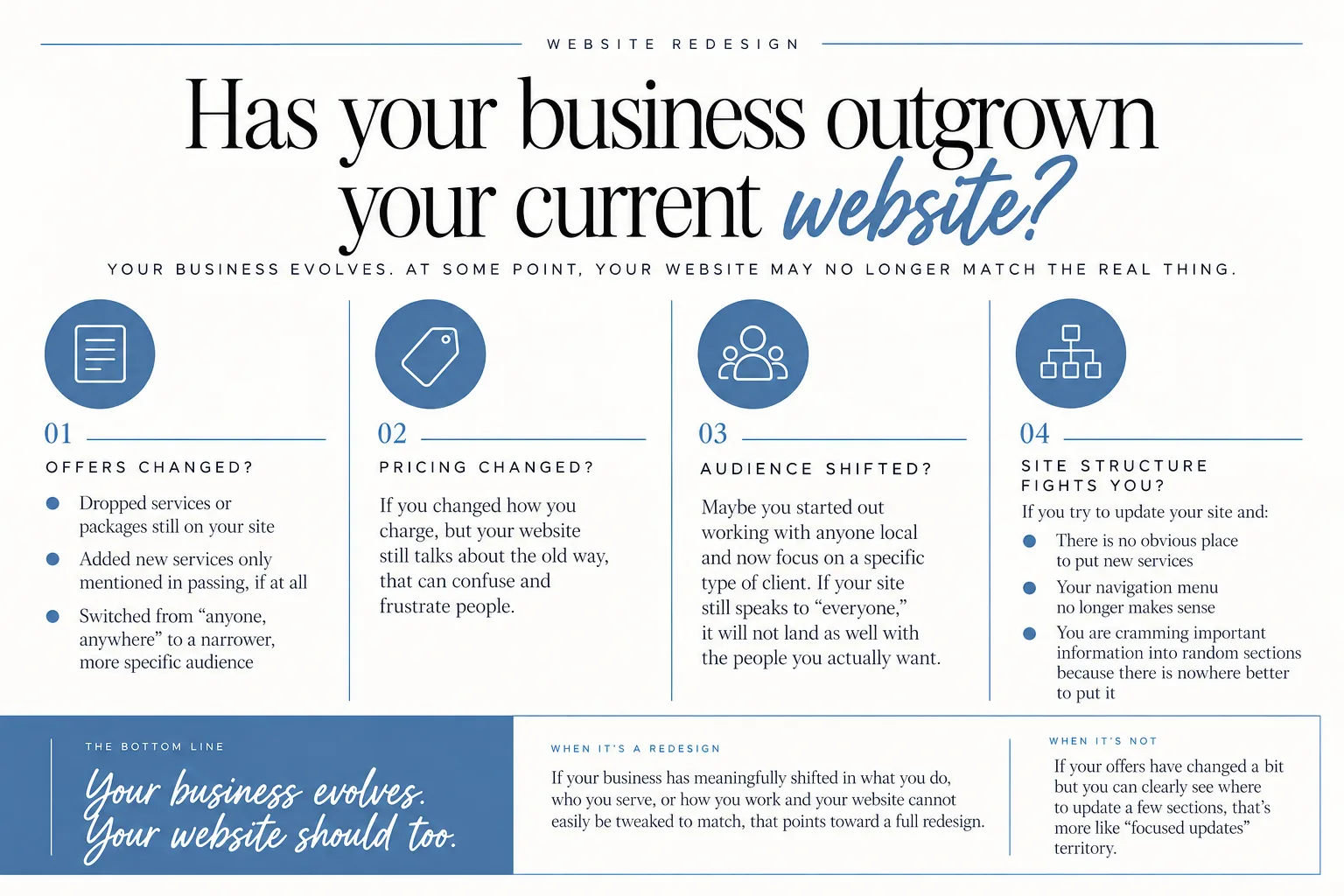
Has your business outgrown your current website?
This is one of the biggest real reasons for a full website redesign.
Your business is alive. It shifts, matures and sometimes takes a left turn. Your website is just a snapshot from one moment in that story. At some point, the snapshot no longer matches the real thing.
Ask yourself:
- Have your offers changed?
Maybe you:
- Dropped services or packages that are still front and center on your site
- Added new services that are only mentioned in passing, if at all
- Switched from “anyone, anywhere” to a narrower, more specific audience
- Have your pricing or business model changed?
If you changed how you charge, but your website still talks about the old way, that can confuse and frustrate people.
- Has your audience shifted?
Maybe you started out working with anyone local and now focus on a specific type of client. If your site still speaks to “everyone,” it will not land as well with the people you actually want.
- Does your current site structure fight you?
This is a big one. If you try to update your site and:
- There is no obvious place to put new services
- Your navigation menu no longer makes sense
- You are cramming important information into random sections because there is nowhere better to put it
then your business has probably outgrown the structure of the site.
When your business has meaningfully shifted in what you do, who you serve, or how you work and your website cannot easily be tweaked to match, that points toward a full redesign.
If your offers have changed a bit but you can clearly see where to swap text, update a few page sections or rename some buttons, that is more like “focused updates” territory.
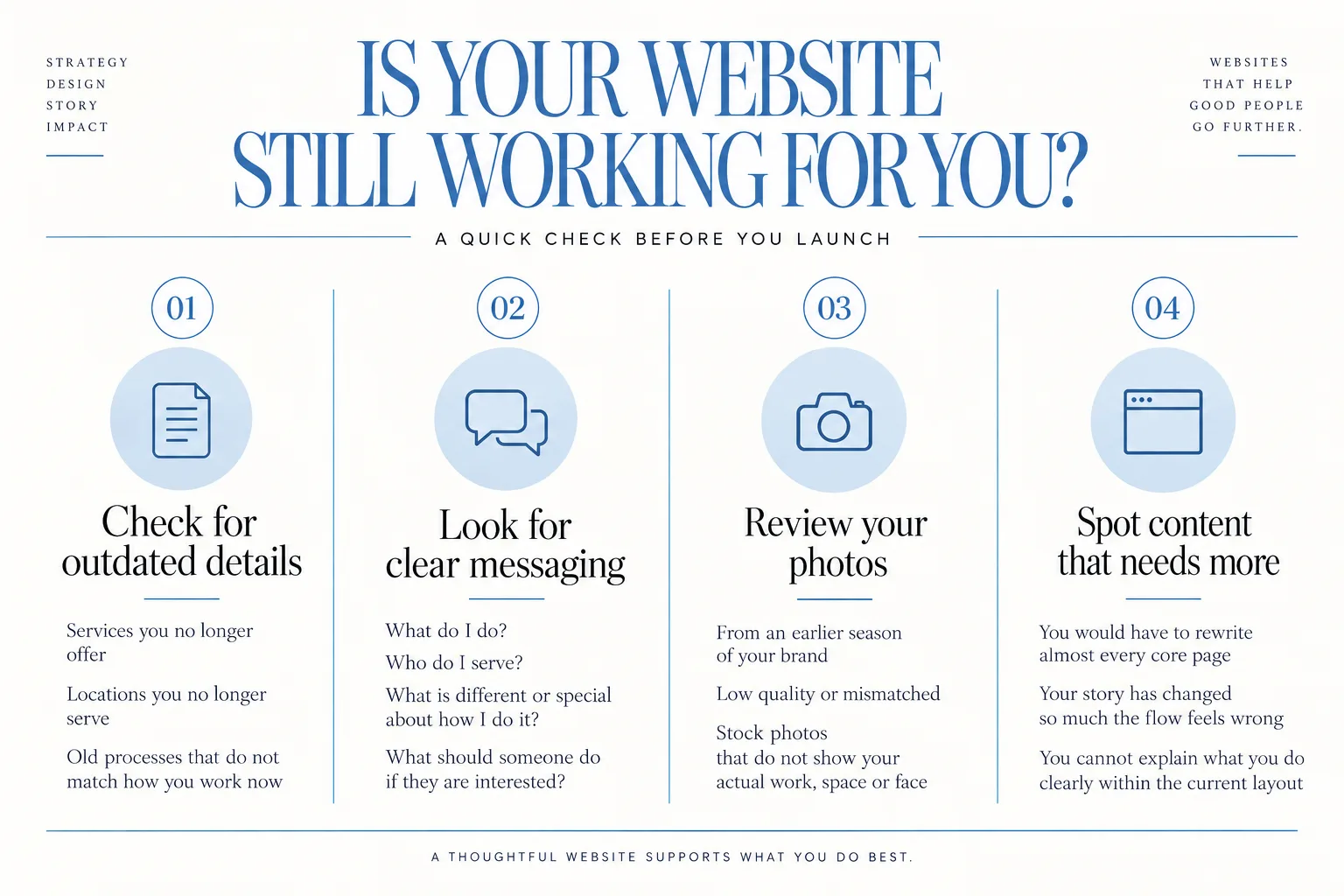
Content check: Are words and photos still telling the right story?
Next, look at what people actually read and see.
Open your site and check:
- Home page
- About page
- Services or work-with-me page
- Contact page
- Any portfolio or gallery pages
- Any blogs that are still getting traffic or that you link people to
You are looking for:
1. Outdated or inaccurate information
- Services you no longer offer
- Locations you no longer serve
- Old processes that do not match how you work now
- “Coming soon” sections that never came
If the main issue is outdated details and the layout still works, you probably just need copy updates and a bit of reorganization, not a new site.
2. Confusing or vague messaging
Ask a friend who is not in your industry to skim your site and answer:
- What do I do?
- Who do I serve?
- What is different or special about how I do it?
- What should someone do if they are interested?
If they stumble or give a half-right answer, your copy needs love. Often, earlier-stage businesses can fix this with focused writing and clarity work, not a full rebuild.
3. Photos that no longer feel like you
This can happen slowly. Maybe your photos are:
- From an earlier season of your brand that no longer fits
- Low quality or mismatched
- Stock photos that do not show your actual work, space or face
Good photography helps people feel they can trust you and understand what working with you is like. Sometimes swapping in new images is enough to make an older site feel fresh and aligned again.
If you are in Louisiana and you know your current imagery is holding you back, new brand photos or video can support any website updates or redesign you decide to do. You can explore brand photo and video for Louisiana-based entrepreneurs if that is on your mind.
4. Content problems that signal a bigger overhaul
Content points toward a redesign when:
- You would have to rewrite almost every core page
- The story of your business has changed so much that the whole flow feels wrong
- You cannot explain what you do clearly within the current sections and layout
In that case, it is usually better to build a new site around the right message than to try to cram a new story into an old frame.
If, however, the bones of the story are right and it is mostly small things that feel dated, focused updates or a VIP Day-style project is likely enough.
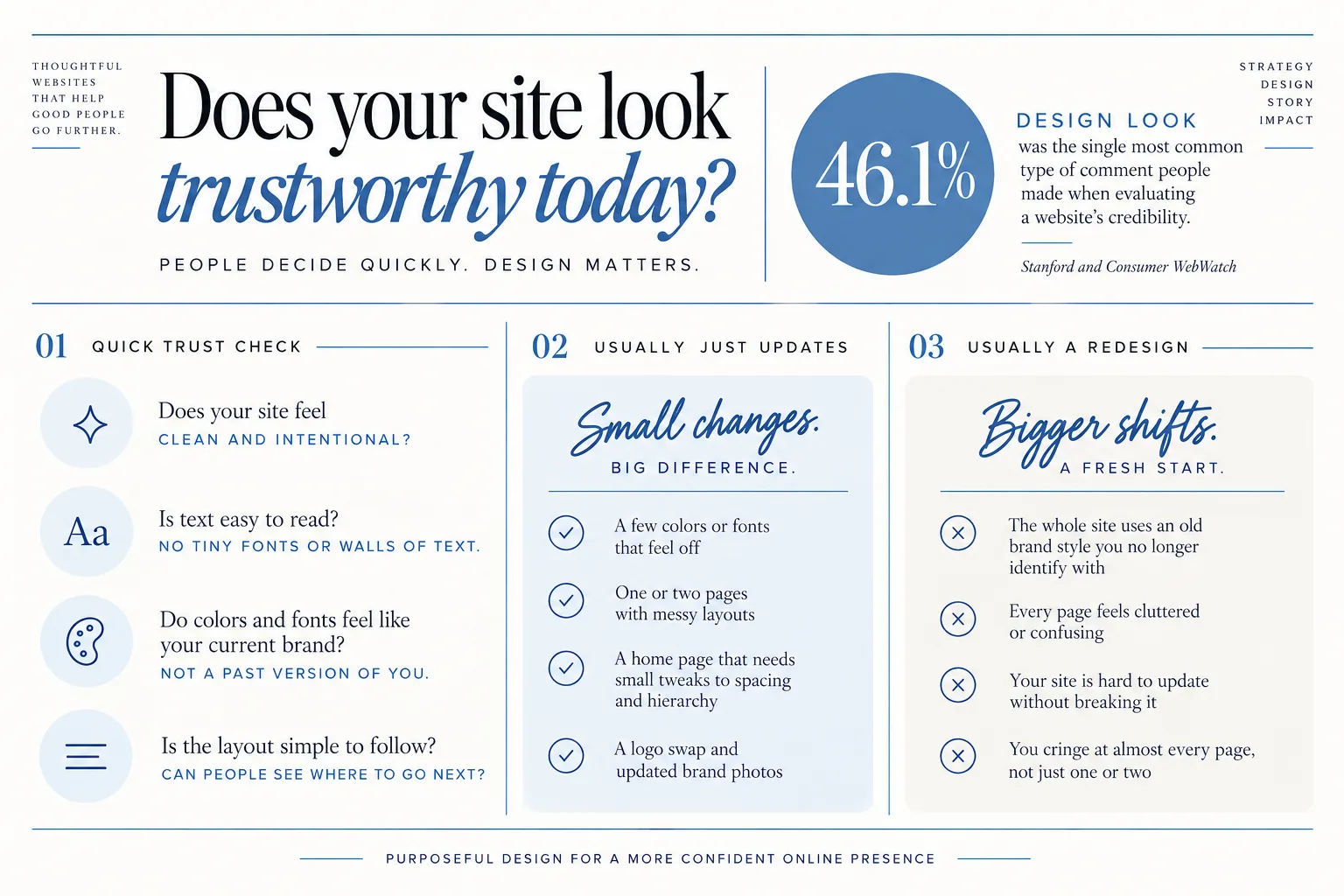
Design and first-impression test: Does your site look trustworthy today?
Even if you are the most heart-led business owner in town, people still decide quickly whether your website (and by extension, your business) feels trustworthy.
A study from Stanford and Consumer WebWatch looked at how people judge a website’s credibility. In that research, “46.1% Design Look” was the single most common type of comment people made when they were evaluating a site’s credibility, which means visual design came up a lot in their reactions to whether a site felt trustworthy or not.
You do not need a trendy site. You do need one that does not accidentally send the wrong signals.
Ask yourself:
- Does my site feel clean and intentional, or cluttered and noisy?
- Is text easy to read? (No tiny fonts, strange color combinations, or walls of text.)
- Do colors and fonts feel like my current brand, or like a past version of me?
- Is the layout simple to follow? Can people see where to go next?
Pay attention to your own body when you open your home page. Do you feel proud to send people here, or a little embarrassed?
Design issues that usually just need updates:
- A few colors or fonts that feel off
- One or two pages with messy layouts
- A home page that needs small tweaks to spacing and hierarchy
- A logo swap and updated brand photos
You can address a lot of that through focused design work, even if the site is based on a template. Coyote can work from a Showit template or build from scratch, so if your site structure is solid but the styling needs a refresh, you do not necessarily need to start from zero.
Design issues that usually point to redesign:
- The whole site uses an old brand style you no longer identify with
- Every page feels cluttered or confusing
- Your site is clearly built on something that is hard to update without breaking it
- You cringe at almost every page, not just one or two
In those cases, it is often easier to plan a full redesign with your current brand in mind than to patch an old look that was never meant to carry you this far.
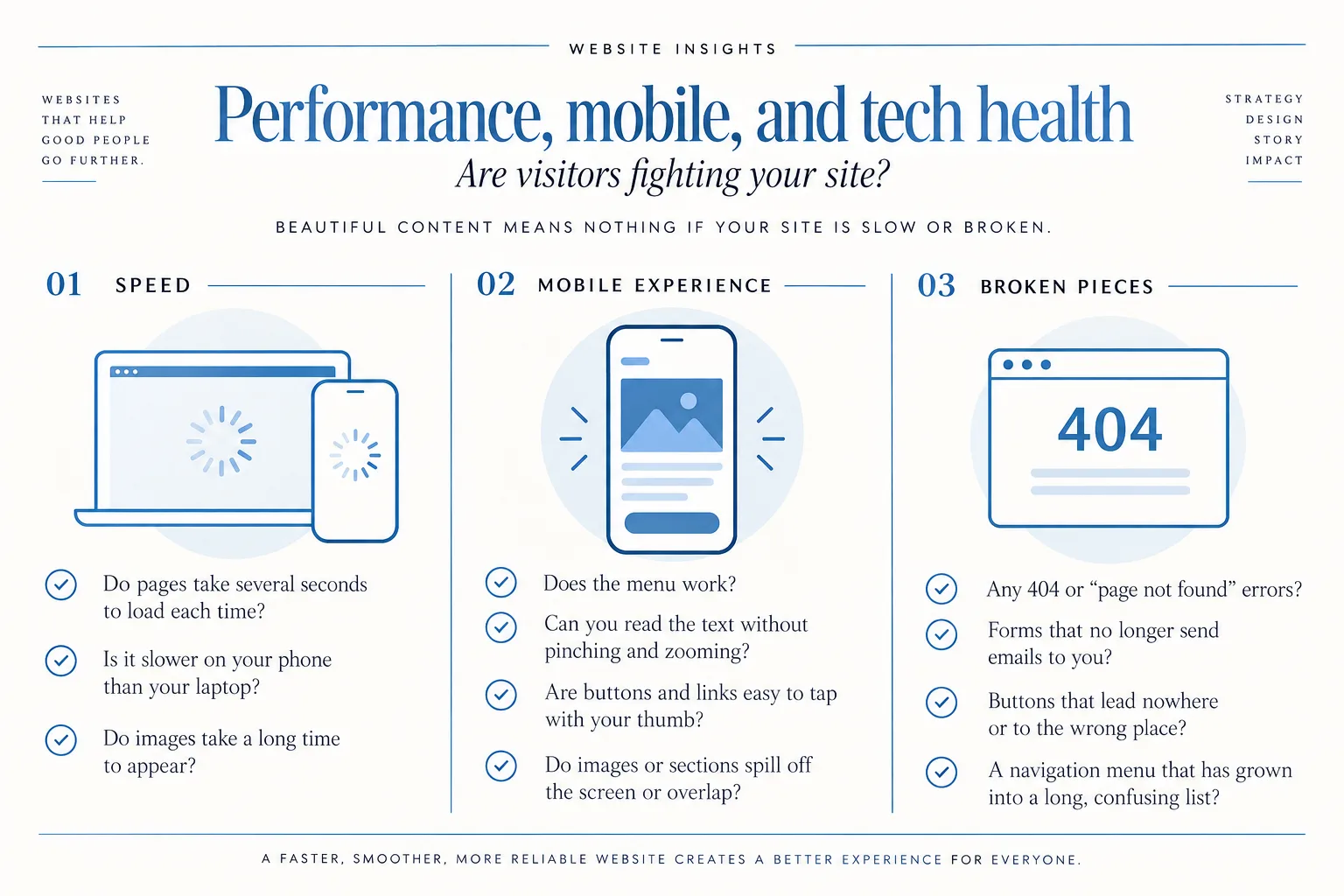
Performance, mobile, and tech health: Are visitors fighting your site?
You can have beautiful content and design, but if your website is slow or broken, people will still bounce.
Look for these practical signals:
1. Speed
- Do your pages take several seconds to load each time?
- Does it feel noticeably slower on your phone than on your laptop?
- Do images take a long time to appear?
Sometimes speed issues come from huge images or a few heavy elements on one page. That can often be fixed through targeted optimization.
If the whole site is slow, you are on an older setup, or it feels fragile to update anything, that starts leaning toward a larger project.
You can also run a quick, free test using Google’s PageSpeed Insights tool. It will give you a simple score and point out speed or performance issues on both mobile and desktop.
2. Mobile experience
Most people who find you from Instagram or Google on their phone will see your mobile site first.
Check yours by actually using it:
- Does the menu work?
- Can you read the text without pinching and zooming?
- Are buttons and links easy to tap with your thumb?
- Do images or sections spill off the screen or overlap?
If a couple of pages have weird mobile issues, that can usually be repaired. If your whole site breaks down on mobile, especially if it was never intentionally designed for phones, that is often a reason to consider a redesign. This is something I like about the website builder Showit. You can design your website completely mobile first.
3. Broken pieces and confusing navigation
Click through your main menu and footer:
- Any 404 or “page not found” errors?
- Forms that no longer send emails to you?
- Buttons that lead nowhere or to the wrong place?
- A navigation menu that has grown into a long, confusing list?
A few broken links or one outdated form can be updated. If the entire navigation structure is confusing and patchy, that is more like a structural issue, which usually fits better into a redesign.
Numbers don’t lie: What your metrics say about redesign vs updates
You do not need to be a data person to get value from basic website numbers.
Look at the simple things you can see, such as:
- How many people contact you through your website each month
- How many inquiries, calls or bookings you get that mention your website
- Which pages people seem to land on the most
Then ask:
- Have inquiries from the website dropped over time, even though you are still active in your business?
If yes, that may point to deeper issues with messaging, design or user experience.
- Are visitors dropping off on a specific page?
For example, your home page does fine, but people rarely make it to your services page. That suggests a problem with that page or the path to it, rather than the entire site.
- Are metrics weak across the board?
If people rarely fill out your forms or stay on the site very long, and that pattern is site-wide rather than tied to one weak page, that is often a sign that your site needs a more holistic rethink.
When metrics are poor on just one or two key pages, you can often fix those with focused updates and better copy or calls to action. When metrics are poor everywhere, a full website redesign may give you a cleaner way to support the business you run today.
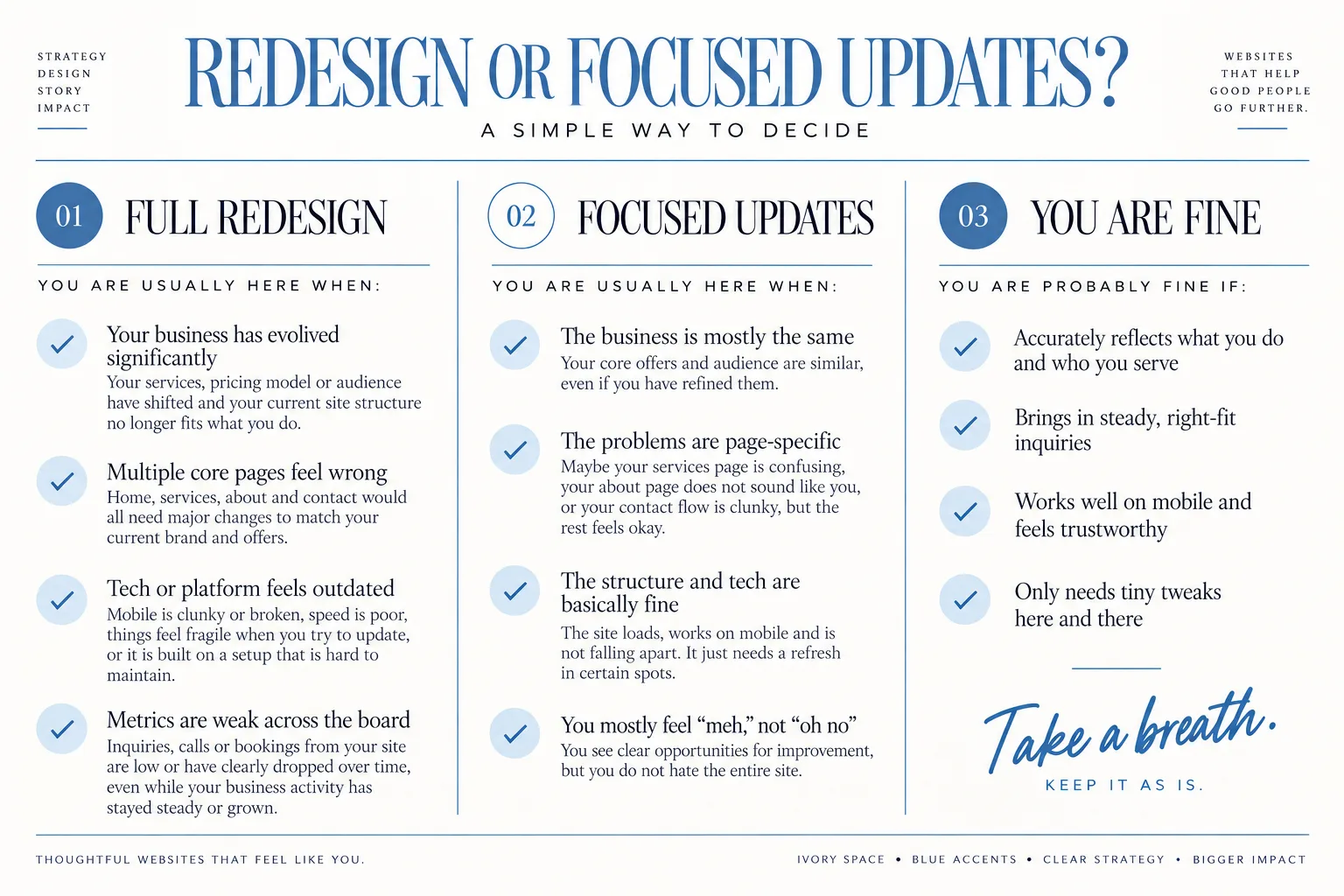
So…redesign or focused updates? A simple way to decide
By now you probably have a sense of where you are landing. Here is a clear way to call it.
You are usually in full redesign territory when:
- Your business has evolved significantly
Your services, pricing model or audience have shifted and your current site structure no longer fits what you do.
- Multiple core pages feel wrong
Home, services, about and contact would all need major changes to match your current brand and offers.
- Tech or platform feels outdated
Mobile is clunky or broken, speed is poor, things feel fragile when you try to update, or it is built on a setup that is hard to maintain.
- Metrics are weak across the board
Inquiries, calls or bookings from your site are low or have clearly dropped over time, even while your business activity has stayed steady or grown.
This is when something like Signature Web Design becomes the better fit, because you are ready for a full multi-page redesign with strategy, copy and foundational SEO built around where your business is headed, not where it started. You can see how that works at Signature Web Design for Louisiana small businesses.
You are usually in focused updates territory when:
- The business is mostly the same
Your core offers and audience are similar, even if you have refined them.
- The problems are page-specific
Maybe your services page is confusing, your about page does not sound like you, or your contact flow is clunky, but the rest feels okay.
- The structure and tech are basically fine
The site loads, works on mobile and is not falling apart. It just needs a refresh in certain spots.
- You mostly feel “meh,” not “oh no”
You see clear opportunities for improvement, but you do not hate the entire site.
This is ideal for a concentrated project like a VIP Day, where you can tackle specific updates, reorganize key sections, and polish your design without rebuilding your whole online home.
You might also find that what you really need is a smaller, well-built site, rather than a big one full of half-right pages. If you are earlier in business and not ready for a full multi-page project, you can explore The Mini Site for early-stage businesses who aren’t ready for a full website as a focused way to get a simple, clear presence that fits where you are now.
And sometimes, the answer is:
You are fine. If your website:
- Accurately reflects what you do and who you serve
- Brings in steady, right-fit inquiries
- Works well on mobile and feels trustworthy
- Only needs tiny tweaks here and there
then you can take a breath and keep it as is. Save your energy for your clients and your life, and revisit later when something truly changes.
If you’re leaning toward changes: how Coyote Brands can help
If walking through this guide has you thinking, “Okay, I do need to do something,” you still do not have to decide everything alone.
Here is how the Coyote Brands services line up with the situations we just talked about:
- Signature Web Design
Best when you have clearly outgrown your current site and need a full multi-page redesign with strategy, copy and foundational SEO, tailored to your current business. This is where you rethink structure, content, and design together so your online home finally feels like the business you are running now.
- VIP Day
Ideal when your site’s bones are solid, but you have a list of focused updates: cleaning up content, adjusting layouts, clarifying calls to action, or refreshing specific sections.
- The Mini Site
A fit when you are an earlier-stage business owner who is not ready for a full site but wants a simple, clear, professionally designed home online that matches who you are now.
- Brand photography and video
Powerful support when your current site structure is okay but your visuals no longer match your brand. As someone who built a photography career before moving into web design, Courtney understands how much honest, on-brand imagery matters to how a site feels. New photos can be part of either a redesign or a refresh.
Courtney graduated with a degree in Marketing from the University of Louisiana at Lafayette and is now launching websites for business owners full time, serving folks in Lafayette, Baton Rouge, New Orleans and across Louisiana. You are not just getting pretty pages, but thoughtful marketing decisions behind them.
When you are ready to talk through which path fits your situation, you can reach out to talk about your goals at <https://coyotebrands.co/inquire>.
FAQ: Common worries about website redesigns
How often does a small business really need to redesign a website?
There is no magic “every X years” rule that fits everyone.
You should consider a redesign when your site no longer reflects your real business, feels hard to update, or stops doing its core jobs of helping people find you, understand you, trust you and take a next step. Some businesses change quickly and need to adjust more often. Others are steady for years and can keep the same site with light updates.
If your site still works and feels right, you do not need to redesign just because the calendar flipped.
What is the difference between a refresh, a redesign, and a rebuild?
Plain language version:
- Refresh
You keep the same basic structure and platform. You update copy, photos, and some styling. Think of it as painting and rearranging furniture in the same house.
- Redesign
You rethink how your pages are laid out, how people move through the site, and how your brand shows up. The structure changes more meaningfully, and you may change platforms or themes if needed. It is closer to a remodel.
- Rebuild
This is when you change the underlying foundation or tech setup, not just how things look and read. You might move from one platform to another or build on a new base. It often happens along with a redesign, but not always.
Most small businesses who feel “off” are deciding between a refresh and a redesign. A full rebuild only becomes necessary when your current setup truly cannot support where you are going.
What questions should I ask any designer before committing to a redesign?
A few smart ones:
- How will you help me clarify my website goals so we know if the new site is working?
- How do you learn about my ideal clients and how they use my site?
- What is included besides visuals, like copy support or foundational SEO considerations?
- How will we decide what pages I actually need?
- How will we measure success after launch?
- How flexible will the site be if my offers evolve?
You are looking for answers that focus on your business, your users and how the site will support both, not just on making something “pretty.”
How should I think about budget: bigger redesign vs smaller updates?
A project typically leans toward a larger investment when:
- You need new structure, strategy, and copy across multiple pages
- Your tech platform is limiting or outdated
- You want to set a strong foundation that can carry you for several years
It leans toward a smaller, contained update when:
- You are mostly happy with your site
- The issues are tied to a few key pages or visuals
- You want to tidy and realign, not transform
If you are unsure which you are in, that is exactly the kind of thing you can talk through during an initial conversation.
When you are ready to get out of “my website feels off” limbo and into a clear plan, you can reach out to talk about your goals at <https://coyotebrands.co/inquire>.